
British IPTV: The Complete Guide to Choosing a UK Streaming Service in 2026
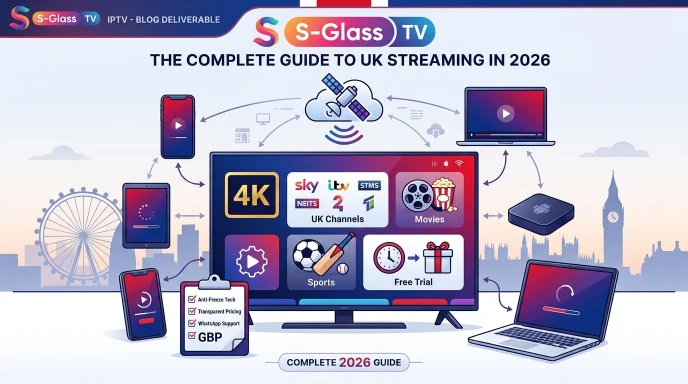
More UK households than ever are searching for a British IPTV service that replaces an expensive Sky or Virgin Media contract without losing the channels they actually watch. The problem is that "British IPTV" now returns dozens of providers, all claiming to be the best, the most stable, or the cheapest. This guide cuts through that noise: what British IPTV actually means, what channels and quality to expect, how to read a review properly, and what separates a legitimate service from a risky one.
What Does "British IPTV" Actually Mean?
British IPTV simply describes an IPTV service built around UK viewing habits - British terrestrial channels, UK sports coverage, and support teams working UK hours. It isn't one single company; it's a category of service, in the same way "UK broadband provider" describes many different companies rather than one. When you're comparing options, focus less on the label and more on whether a provider actually delivers the channel list, stream quality, and support a British household needs.
What Channels Should a British IPTV Service Include?
A genuinely British-focused IPTV service should cover the channels UK viewers rely on daily, not just a token handful buried in a global channel list. At minimum, look for:
- BBC One, BBC Two, and the main BBC regional variations
- ITV1, ITV2, ITV3, ITV4, Channel 4, E4, and Channel 5
- UK sports coverage - Premier League, EFL, and major UK sporting events
- News and documentary channels covering UK current affairs
- A reasonably sized on-demand library alongside the live channels
If a provider's channel list is mostly international with only a few UK channels squeezed in, it isn't really a British IPTV service in any meaningful sense, whatever the marketing says.
British IPTV in 4K: What to Expect
British IPTV 4K streaming has become the norm rather than the exception for premium sport and popular channels, but 4K availability still depends on three things working together: the provider's source stream, your broadband speed, and the device you're watching on. As a rough guide, a stable 4K stream needs a wired or strong Wi-Fi connection of at least 25–30 Mbps, plus a device capable of hardware decoding 4K content - most modern Firesticks, Android boxes, and Smart TVs handle this comfortably.
How to Read a British IPTV Review Properly
A British IPTV review is only useful if you know what to look for. Star ratings alone tell you very little - a handful of five-star reviews can be posted by anyone. When you're reading reviews, prioritise:
- Detail about stream stability during peak hours (evenings, weekend sport), not just "it works great"
- Mentions of specific channels the reviewer actually tested, rather than vague claims about "thousands of channels"
- How the provider handled a real support request, refund, or technical issue
- Whether the review reads like a genuine customer or a paid/affiliate placement with no real detail
If every review on a page reads suspiciously similar, or only ever praises the service with no specifics, treat it with caution.
What Makes the Best British IPTV Service? (Checklist)
With so many providers claiming to be the best British IPTV option, use this checklist to compare fairly:
- UK-optimised servers with genuine anti-freeze/anti-buffer technology, not just a marketing phrase
- A clear, complete channel list you can view before paying - not just after signup
- Transparent GBP pricing with no hidden renewal costs
- A short paid or free trial so you can test quality on your own connection
- Responsive support via WhatsApp, Telegram, or live chat, not just an email form
- Compatibility with the devices you actually own - Smart TV, Firestick, Android, iOS
British IPTV Free Trial: What to Test Before You Pay
Most legitimate British IPTV providers offer some form of free or low-cost trial. Use it properly rather than just checking the picture loads:
- Watch a live channel during peak evening hours to check for buffering under real load
- Test the specific sports or news channels you actually care about, not just the first channel on the list
- Check how quickly the EPG (programme guide) loads and how accurate it is
- Try switching channels quickly a few times to see how the player handles it
- Message support with a basic question to see how fast and how helpful the response is
Legal IPTV Providers in the UK: What You Need to Know
IPTV as a technology is completely legal - BBC iPlayer, ITVX, and NOW TV all use the same internet-delivered model. What matters is whether the individual provider holds proper rights to the channels it distributes. Legal IPTV providers in the UK are typically transparent about their business, accept standard payment methods, publish clear terms of service, and have a genuine, contactable support team. Be cautious of providers that only accept untraceable payment methods, refuse to answer basic questions about their content sourcing, or promise every premium channel and sports package for an implausibly low price.
British IPTV Login: Managing Your Account
Once you're subscribed, you'll typically get login credentials or an M3U/Xtream Codes link to enter into your chosen IPTV player. A few good habits make ongoing access smoother:
- Save your login details somewhere secure so you can reinstall on a new device without contacting support
- Use the official login portal or app your provider gave you - never re-enter credentials on a site you found through a random search result
- If login stops working, check your subscription's expiry date before assuming there's a technical fault
If you're setting up your login for the first time or moving to a new device, our installation guide covers the full process step by step.
Want to see how the major UK-focused services stack up? Our roundup of the top 10 UK IPTV services reviewed for 2026 compares them directly.
Frequently Asked Questions
Is British IPTV legal?
IPTV technology itself is legal. Legality depends entirely on whether the specific provider holds proper rights to the channels it streams, so it's worth choosing a transparent, established provider rather than the cheapest anonymous option.
What's included in a British IPTV subscription?
A proper British IPTV subscription should include core UK channels (BBC, ITV, Channel 4/5), UK sports coverage, news, and an on-demand library, alongside a wider selection of international channels.
How do I get a British IPTV free trial?
Most providers offer a short trial period, either free or for a small fee, so you can test channel quality and stream stability on your own connection before committing to a longer plan.
Can I watch British IPTV in 4K?
Yes, provided your provider supports 4K streams, your broadband speed is at least 25–30 Mbps, and your device can handle 4K hardware decoding.
I can't log into my IPTV account - what do I do?
First check your subscription hasn't expired, then confirm you're using the correct app and login details for your provider. If the issue continues, contact your provider's support team directly rather than re-entering your credentials on an unfamiliar website.
Ready to Get Started?
If you're comparing British IPTV options, take a look at our IPTV subscription plans for transparent UK pricing and a full channel list, and check our installation guide to get set up in minutes. If you're interested in selling IPTV rather than just watching it, our IPTV reseller panel is worth a look too.